

.png)

You've crafted the perfect tour. Your itinerary flows beautifully, your guides are passionate experts, and your reviews are glowing. But then you get a message: "Where exactly do we meet?" Or worse, a frustrated review: "Couldn't find the meeting point, missed the tour."
Meeting point confusion is one of the most common pain points in the world of experiences.
Clear meeting points set the tone for an unforgettable experience from the very first moment. That’s why they are critical to delivering a smooth, stress-free experience that travelers love—and why we built the new Meeting Point Pictures feature to help you make it easier than ever.
What’s new? Introducing Meeting Point Pictures
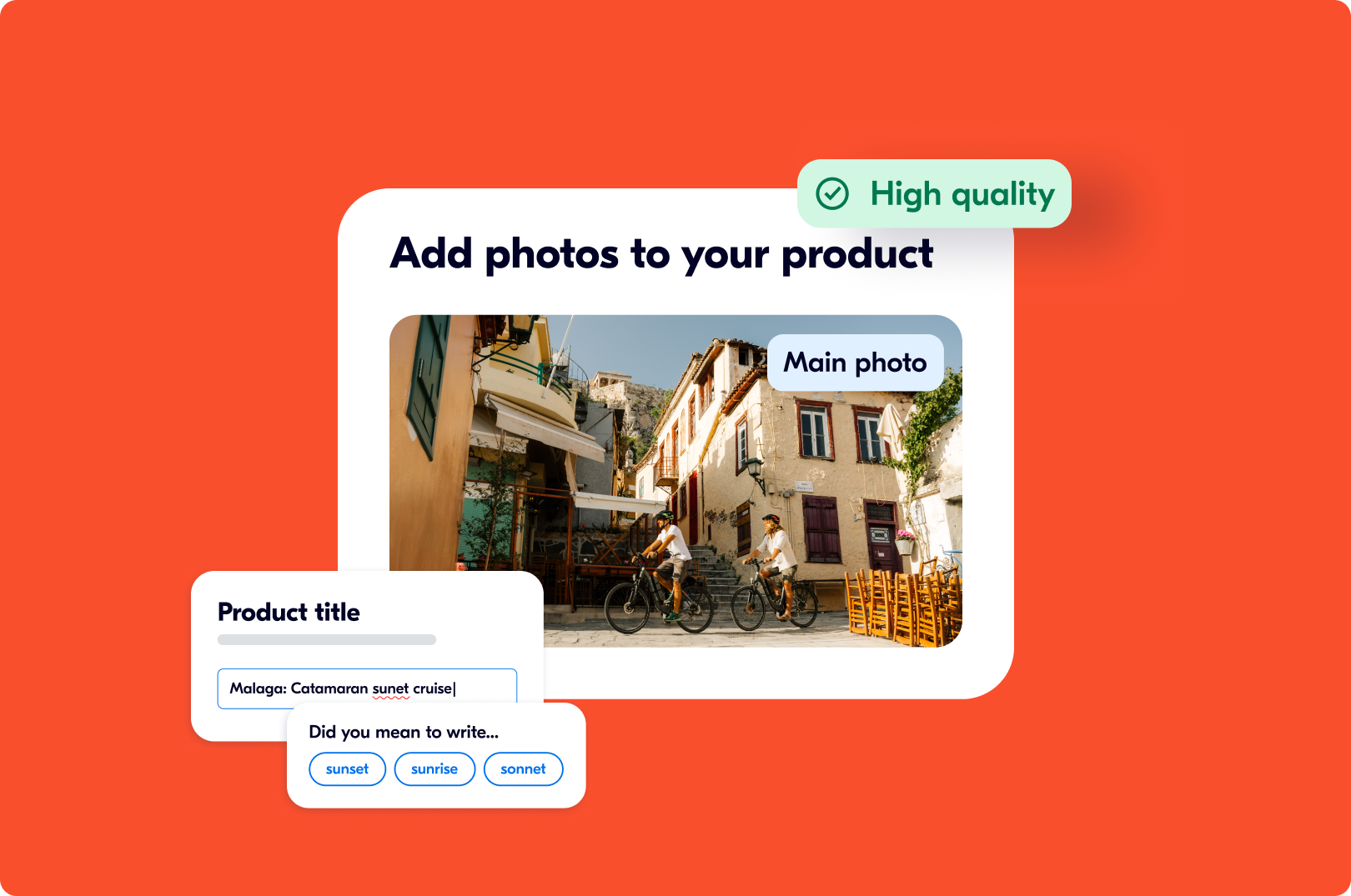
This feature lets you add an image of your exact meeting location directly in your product option setup. This picture appears on travelers' vouchers and trip details (e.g. booking summary), showing them exactly where to go before they arrive.
Here's how it can help you and your experience:
- Instant visual recognition. Travelers match what they see on their screen to what's in front of them.
- Reduced pre-tour anxiety. When travelers know exactly what to look for, they arrive calm, confident, and ready to enjoy your experience.
- Fewer operational interruptions. Your guides spend time delivering great experiences, not answering "Where are you?" messages or scanning crowds for lost guests.
- Better reviews from the very start. When logistics are seamless, travelers focus their feedback on what matters: your storytelling, your expertise, and the memorable moments you create.
- Professional presentation that builds trust. High-quality Meeting Point pictures signal attention to detail and operational excellence before travelers even book.
Add your picture in minutes
Getting started takes just a few minutes:
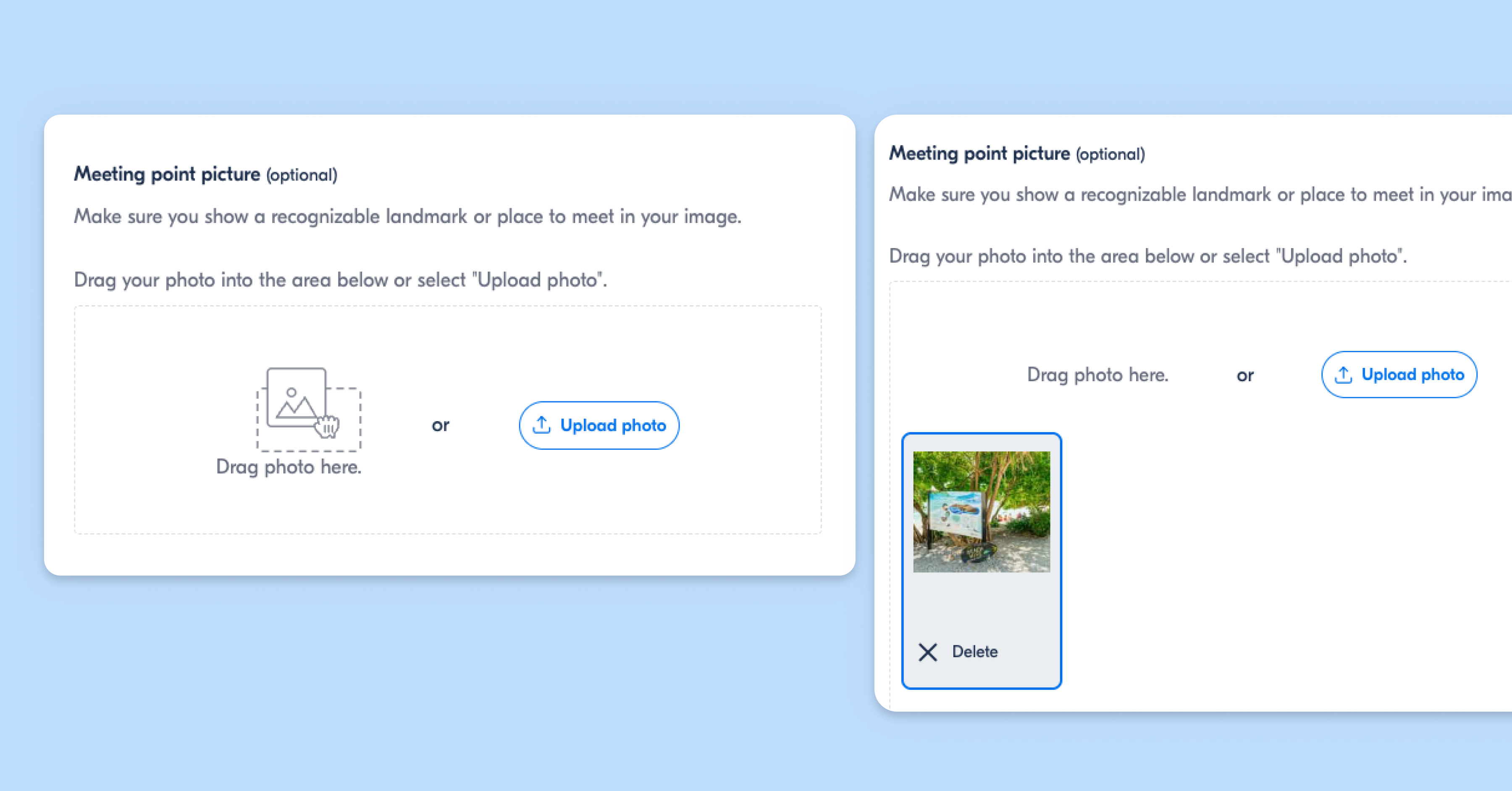
- Go to your product in the Supplier Portal
- Open Options → Click "Edit option"
- Find Meeting Point → Go to "Meeting point or pickup"
- Upload your picture → Add a clear image under "Meeting point picture"
This picture will then appear on travelers' vouchers and during their trip, showing them exactly where to find you before and during their trip.
.png)
This small investment of time can dramatically improve your traveler experience, reduce operational friction, and protect your reputation.
This feature works for meeting points only.
Currently, Meeting Point Pictures are available for fixed meeting points with exact addresses. If you offer pickup services, this feature isn't available yet, but we're exploring options for future releases.
Recommended read: New Tools to Simplify Pickup Management on GetYourGuide
6 pro tips for great Meeting Point Pictures
Unclear meeting points show up in over 91% of negative reviews for certain activity types. When travelers can't find you, it creates a ripple effect: frustrated guests, customer care contacts eating into your time, delayed departures, and lower review ratings that don't reflect your actual experience.
This new feature solves this problem instantly. Here's how to make your picture work and make sure your guests find you every time:
1. Show distinctive landmarks
Show exactly where guests should go by including recognizable landmarks like statues, fountains, unique buildings, or street signs. These visual markers help travelers orient themselves and confirm they're in the right place. Take photos from the angle travelers will naturally approach from; this helps them recognize the location when they arrive.
2. Center your subject
Frame the meeting point in the center of your shot so it's immediately obvious. Avoid cutting off important landmarks or having your meeting point awkwardly positioned at the edge of the frame. The focal point should be unmistakable.
3. Capture your signage or branding
If you use a branded sign, flag, or meeting point marker, make sure it's clearly visible in the picture. Travelers should be able to spot it from a distance. If your guide holds a specific sign, wears a branded shirt, or your vehicle has your logo, show it. This builds trust and makes you instantly recognizable when travelers arrive.
4. Take photos from a traveler’s perspective
Don't photograph from where you stand every day. Stand where a first-time visitor arrives and shoot from there. Skip angles from behind barriers, across streets, or from spots guests will never see. Show them exactly what they'll see.
5. Include enough context
A picture that's too zoomed in can be confusing, so step back and capture the full scene. Show the surrounding area so travelers understand where the meeting point sits in relation to nearby streets, buildings, or transit stops. Travelers need to understand "I'm at the station—now where?" Your picture should answer that.
6. Keep it clear and clutter-free
Bright, daytime pictures work best. If the location is naturally busy, time your picture for a quieter moment or frame it so the meeting point stands out. Blurry, pixelated, dark, or crowded pictures create the exact confusion you're trying to get rid of. Use your phone's or camera's highest quality setting and make sure the image is sharp and in focus.
Travelers will view this on their phone, often while walking and stressed. Make it instantly recognizable.
Pro tip: Take multiple pictures from different angles and distances and choose the one that provides the clearest, most distinctive view. Think like a traveler seeing this location for the first time—what would help them most?
Learn more: How to take photos of your activity using just your phone

Get started today
Meeting points are your first opportunity to deliver on your promise of excellence. And perhaps most importantly, the emotional tone set in those first moments colors the entire experience that follows. You never get a second chance at a first impression.
This feature is available in the Supplier Portal for all supply partners. If you have activities with meeting points, especially ones that travelers find tricky to locate, uploading pictures takes just a few minutes and can make a real difference.
Ready to make finding you effortless? Update Your Meeting Point
.png)
.png)