



Travelers are already planning for the season. The tools we shipped this spring are about making sure you're ready when they arrive: clearer data, faster edits, fewer logistics errors, and messages you can actually keep up with. Here's what shipped.
What's new in the Supplier Portal
Jana Waldschmidt, who leads Supply Product at GetYourGuide, walks through what's new in the portal this season.
All your product data and actions in one place
Your analytics and recommended actions used to live in separate parts of the portal. To see how a specific product was doing, you had to check the numbers in one place and find the suggested actions somewhere else.
The new Performance section brings them together. You see all your products in one view: bookings, revenue, conversion rate, ratings. Sort by any metric to find what needs attention. Click into a product and you get its trend lines, graphs, and recommended actions in the same place.
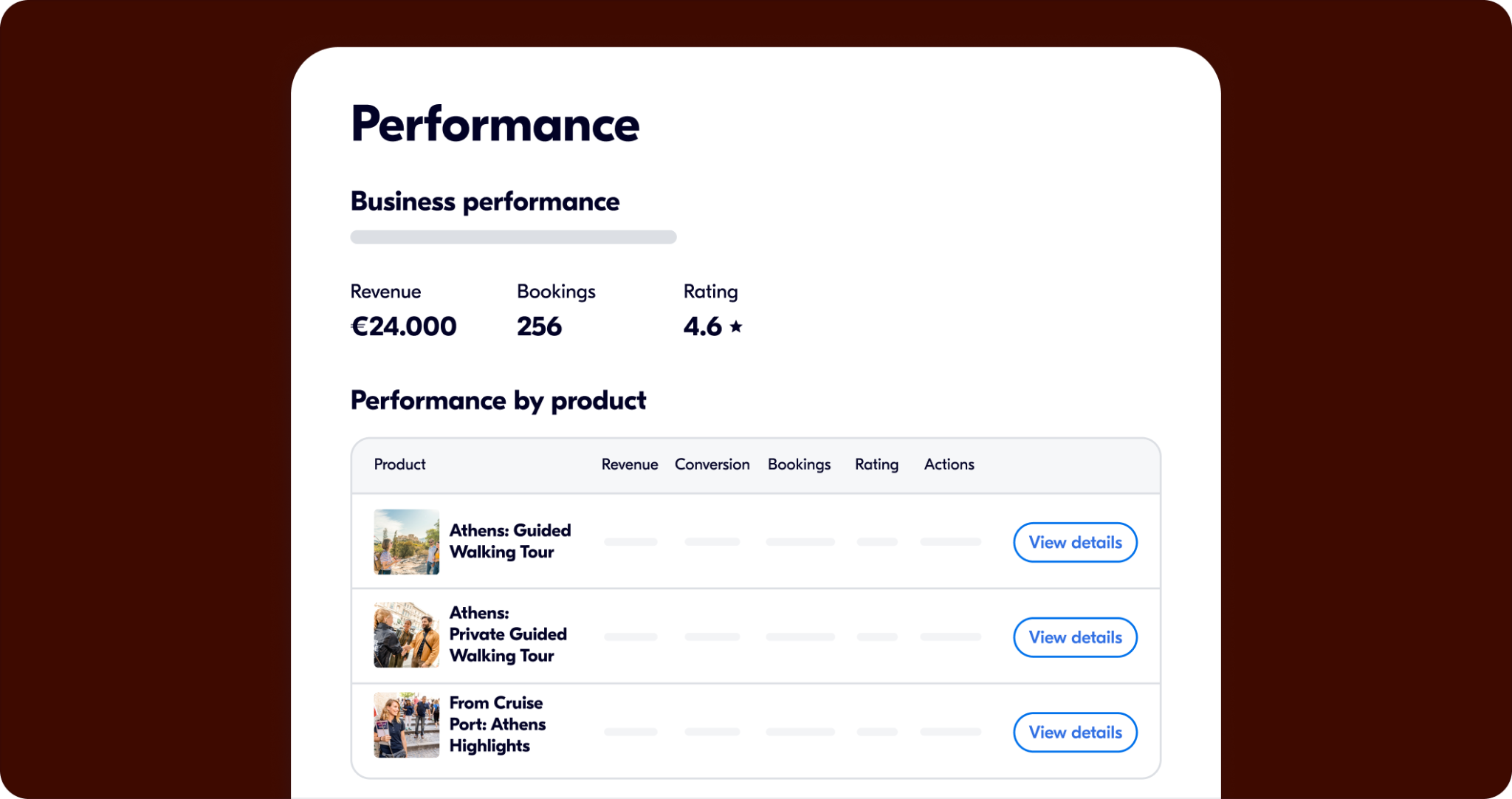
The idea is that the data and the action sit next to each other, so you're not hunting across the portal to figure out what to do next.
For more on how it works, read: How to use recommended actions.
Go to Performance →
Edit your listing the way travelers see it
Last fall, we redesigned the product details page so you can see your activity the way a traveler does: photos, description, and itinerary, all in one layout. This spring, you can edit from that same view.
Before this update, making any change, like fixing a typo, swapping a photo, or updating a description, meant going through the full creation flow. Now, edit buttons appear inline throughout your product details page. Click any section (title, description, photos, itinerary, meeting point), make the change, and you're done.
This also connects to Performance. If a recommended action involves your listing content (say, improving your description to address a common traveler question), you can act on it without navigating away.
Keeping your listing accurate and up to date is one of the most direct things you can do for your bookings. Travelers compare options carefully, and an outdated photo or a vague itinerary can be the reason they don't book.
For guidance on what makes a strong listing, see: Activity quality guidelines.
Go to your products →
Define your pickup area down to the street
The old tool gave you a rectangle on a map. Your service area is rarely that shape. There are streets you can't enter, pedestrian zones your vehicle can't access, and neighborhoods you only partially cover. A rectangle that covers too much means travelers book pickups you can't do, which leads to cancellations and, often, complaints.
You can now draw your pickup area as a custom shape and mark specific exclusion zones within it.
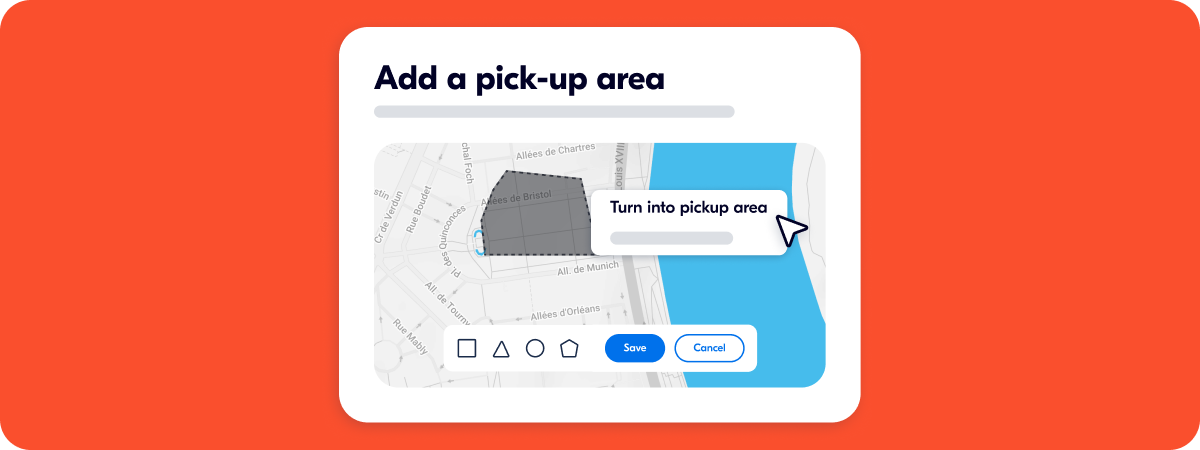
Say you run tours in a city with a car-free historic center: draw your coverage area around the city and exclude the restricted zone. Travelers only see and book from addresses you can actually reach.
Update your pickup area →
Show travelers exactly where to meet you
Written directions only go so far. In a busy market, a crowded square, or a city where your traveler doesn't speak the language, people get lost. They miss the start. Sometimes they leave a bad review about it.
You can now upload a photo of your exact meeting point. It shows up on the traveler's trip details and in the App, alongside your written instructions. One clear image tends to do more than a paragraph of directions, regardless of language.
Go to your products →
All your traveler messages in one place
The new Messages tab under Bookings puts every traveler conversation in one place, with the relevant booking details visible alongside each thread. You can read and reply without switching tools or going back to your email to find context.
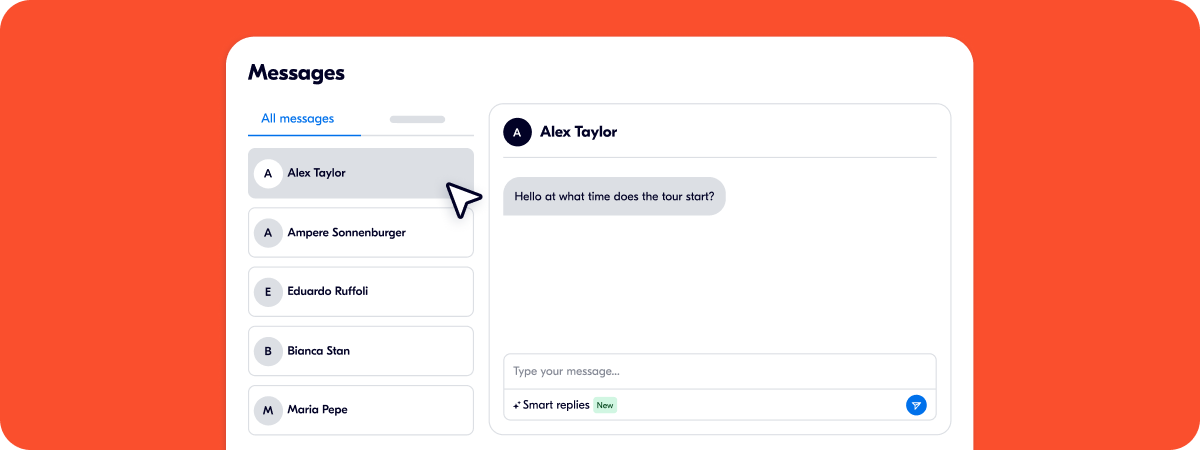
When you open a message, you'll see an AI-suggested reply based on the conversation and booking. Pick a tone (short, formal, or detailed), edit if needed, send. This is particularly useful during busy periods when messages are coming in while you're already guiding. Having a drafted starting point is faster than composing from scratch.
On the traveler side, a unified inbox in the GetYourGuide app means the full conversation is in one place for them too.
For a full overview of the feature, check out Messages in the Supplier Portal.
Go to Messages →
What's new for travelers, and why it matters for you
Every improvement on the traveler side is designed to reward the quality you put in. Better reviews, smarter search, and new discovery tools all feed the same loop: travelers find you, trust you, and book.
Arjun Muralidharan, who leads Consumer Product at GetYourGuide, walks through the traveler updates.
• Your reviews now work harder. Travelers now see an AI-generated summary at the top of your activity page, pulling the most common themes from your verified reviews over the last 12 months. They can also search your reviews by keyword: type "wheelchair" or "small group" and find the relevant reviews in seconds. More confident travelers decide faster. The more detailed your reviews, the harder this works for you.
• A new way for travelers to find you. Travelers browsing spread-out destinations like Tuscany or the Greek islands can now switch to a map and see activities plotted by location. For the first time, someone can find your experience because it's near where they're staying, without knowing to search for it. This feature is rolling out gradually, starting with geographically complex destinations. Make sure your activity location is accurate in the portal so you appear where you should.
• More relevant searches, more qualified visitors. The suggestions travelers see as they type are now ranked by a machine learning model trained on real booking behavior, not static rules. Better matching between intent and available activities means more travelers reaching your listing with clear intent. New activities from recently onboarded suppliers also surface more naturally in search results, instead of being placed in fixed slots at the bottom.
• Travelers compare your options at a glance. Product options now appear side by side in the booking flow on the App. Travelers see differences at a glance and pick what fits them, instead of scrolling a long list.
• More ways to pay. Pix in Brazil and Swish in Sweden are now live. Both are the leading local payment methods in their markets.
And that's not all
These updates are live in the Supplier Portal. To see all updates, explore Unlocked Spring 2026.
Have questions? Browse the Help Center or contact us.