



In short: Messages is a new section in the GetYourGuide Supplier Portal that brings all your customer conversations into one view, alongside the booking details you need to reply. It also includes AI-drafted responses based on the customer's message, their booking, and their activity details. Available now for all suppliers.
Good communication is part of the experience. Customers who get clear, timely answers before their activity show up more prepared, more confident, and more likely to leave a positive review.
That's why we built Messages, a single place in the Supplier Portal to manage every customer conversation with everything you need to reply quickly and accurately.
What is the Messages section?
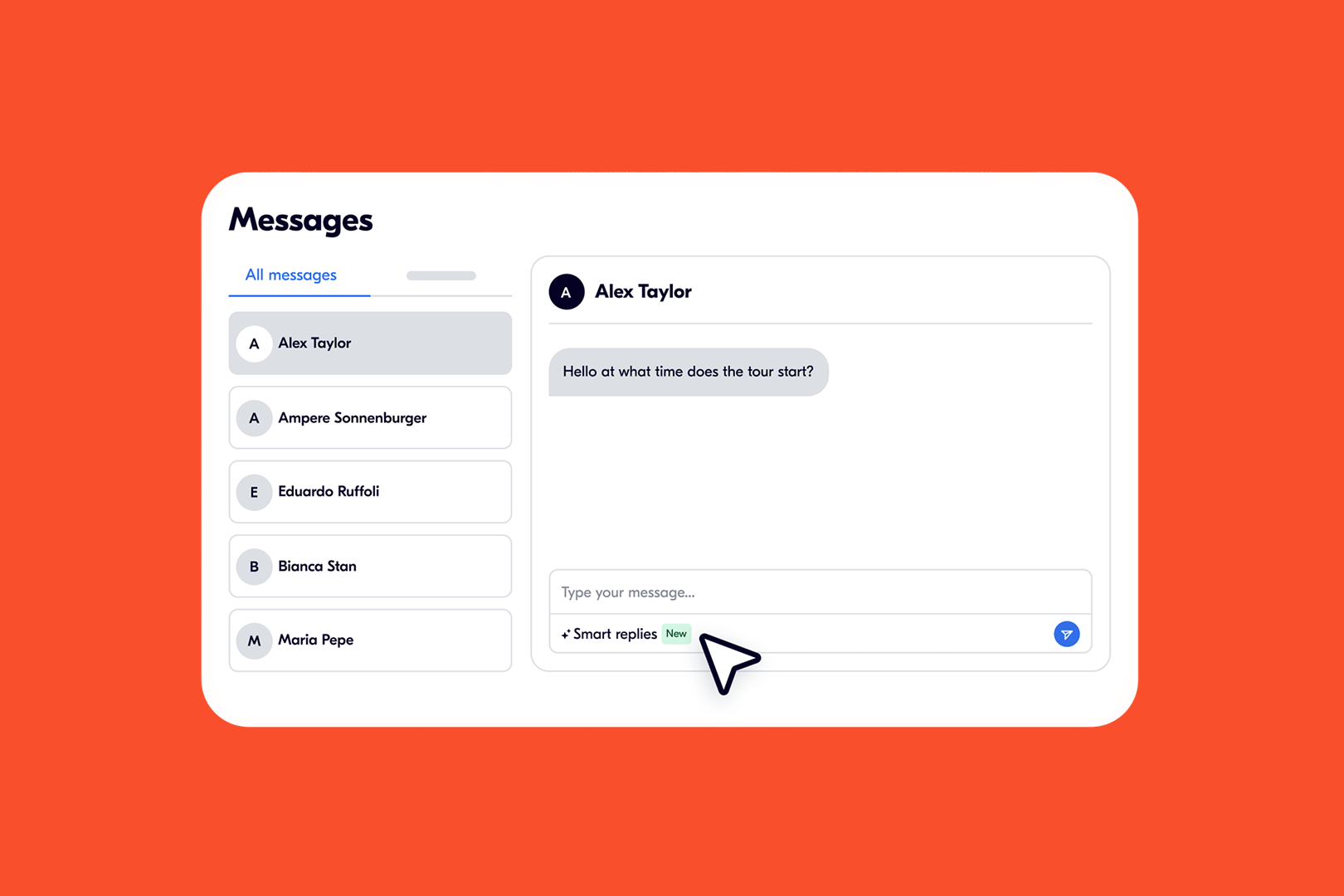
Messages is a single inbox inside the Supplier Portal for all your customer conversations. Each message sits next to its booking, so you have the full context (customer details, activity, date, and traveler info) without leaving the page.
Here's what you get:
- One view for every customer message: Every conversation with every customer, in one tab.

- Unread messages clearly flagged: See at a glance which conversations need your attention, so nothing slips through.
- Full booking context, side by side: The message, booking reference, activity details, and traveler info are all on the same screen.
And because you're already in the Portal, you can act on the booking itself without leaving the conversation.
Reply faster with smart replies
Inside every conversation, you'll find an AI-suggested reply — a draft response based on the customer's message, their booking details, and the activity information.

You don't have to use it as-is. You can choose the tone that fits (short, formal, or more detailed), edit the wording, and send when you're ready. It's there to give you a solid starting point, not to replace your voice.
Because the suggestion draws on the actual booking and activity data, it's specific to the conversation in front of you and not a generic template.
Communication is part of the product
Fast, helpful replies make a real difference. Customers who get clear answers to pre-activity questions show up more confident, ask fewer last-minute questions, and have a better experience from the start.
With Messages and smart replies together, you have:
- One place to check all your conversations
- Full booking context to reply accurately
- AI-suggested replies to help you respond faster, without sacrificing quality.
How to find Messages in the Supplier Portal
To find your inbox:
- Log in to your Supplier Portal
- Click Messages under the Bookings tab in the main navigation.
- You'll see all your customer conversations, organised and ready
Click any conversation to see the full thread, review the booking details, and reply directly, or use an AI-suggested reply as your starting point.
Check out the support article for additional guidance: Messages in the Supplier Portal
Tips to get the most out of Messages
1. Make it part of your daily routine
Check Messages first thing each morning, especially before your first tour. Customers booking for today may have last-minute questions that decide whether they show up confident or confused.
2. Prioritise unread conversations
During busy periods, focus on unread messages first. A quick, helpful reply can be the difference between a smooth experience and a frustrated review.
3. Reply before the activity, not after
Pre-activity questions (e.g., what to bring, dietary needs, fitness requirements) are your chance to set expectations and reduce no-shows. Even a brief reply builds trust.
4. Use smart replies as a starting point
You don't need to write every reply from scratch. AI-suggested replies give you a draft based on the actual booking. Edit it, adjust the tone, and send. It takes seconds.
5. Use the booking context
The customer's booking reference and activity details are already in the conversation view. You don't need to ask for them, which means faster, more accurate replies.
Stay on top of every message
Whether you manage five bookings a day or five hundred, Messages gives you one organized place to stay on top of every customer conversation, with the tools to reply quickly and confidently.
Have feedback? We'd love to hear how Messages is working for you.
FAQ
• What is the Messages section in the Supplier Portal?
Messages is a single inbox in the GetYourGuide Supplier Portal where you can read and reply to all customer conversations, with the related booking details shown side by side.
• What are smart replies?
Smart replies are draft responses that appear inside each conversation. They're based on the customer's message, their booking data, and the activity details. This means they're specific to that conversation, not a generic template.
• Can I edit an AI-suggested reply before sending?
Yes. You can choose the tone (short, formal, or more detailed), edit the wording, and send when you're happy with it.
• Where do I find Messages in the Supplier Portal?
Go to the Bookings tab in the main navigation and click Messages.
• Will I still get customer messages by email?
Yes, you receive messages by both email and as chats in the Portal.